MyBatis란?
JDBC를 활용해 만들어진 프레임워크
- JDBC를 사용하는 방법을 높은 수준에서 추상화 ( 쉽다)
- interface 메소드에 SQL 연결
- 메소드 호출 시, SQL 실행
- 인자와 결과를 JAVA 객체로서 활용가능
- 조금 복잡하지만 동적인 SQL 사용 가능하다.
MyBatis 실습하기
Mybatis 개발환경세팅
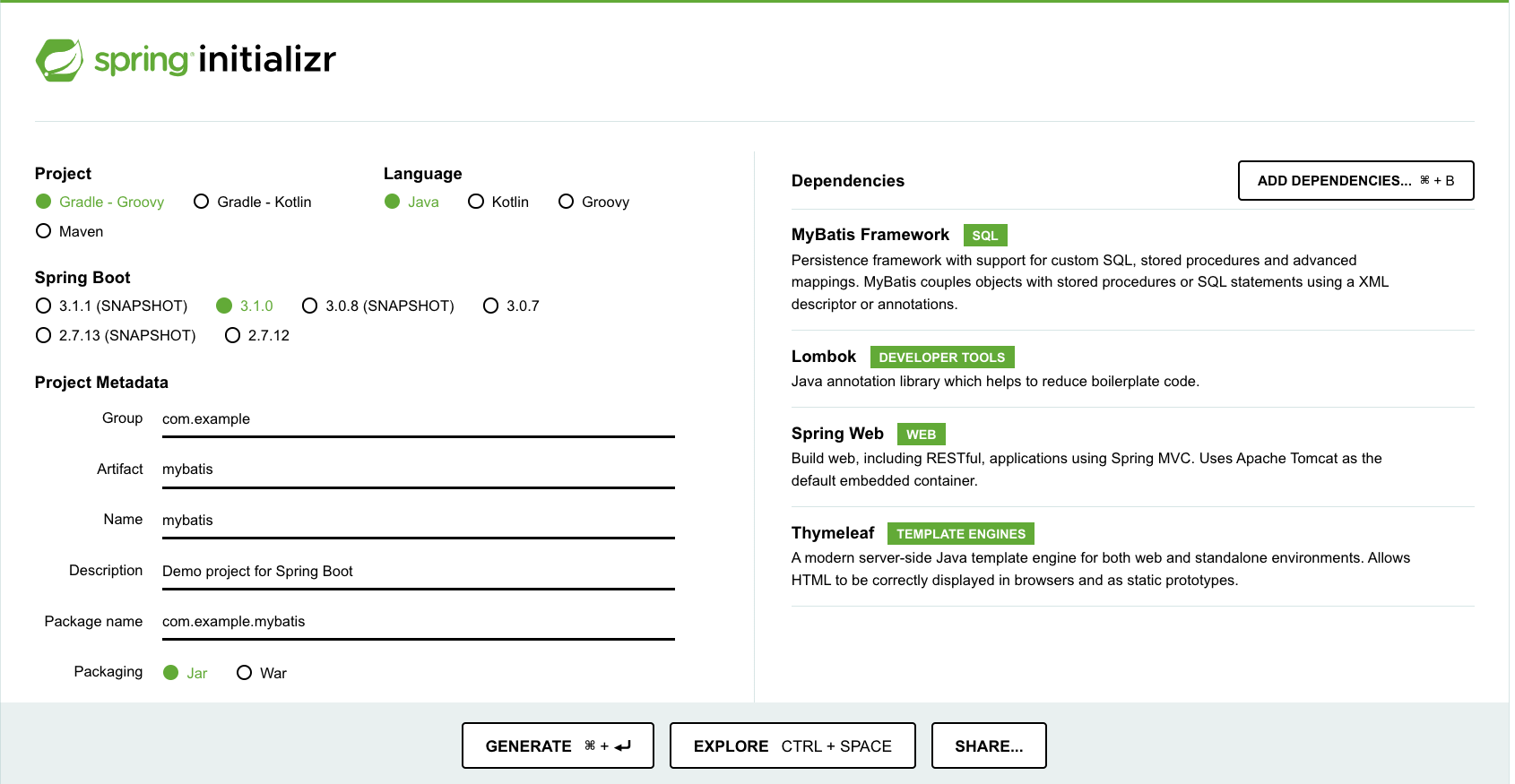
- spring.io ‘mybatis’ 프로젝트 생성해주기**
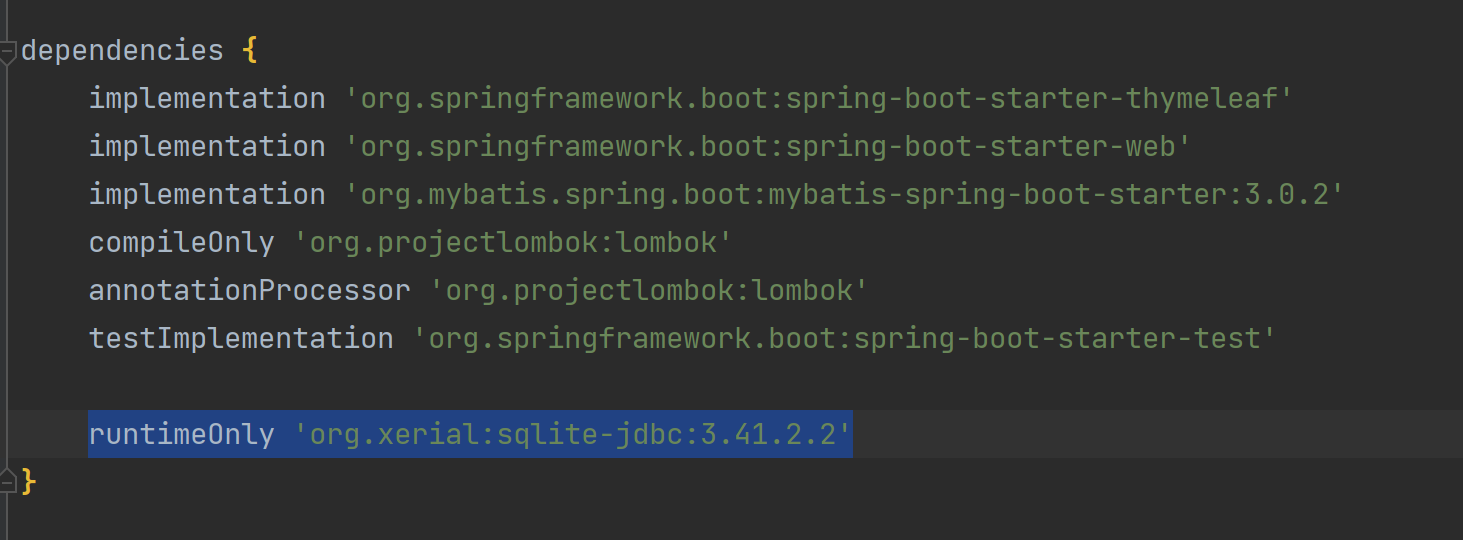
- ‘build.gradle’에 sqlite 관련 라이브러리 추가해주기
// sqlite
  runtimeOnly 'org.xerial:sqlite-jdbc:3.41.2.2'
db등록 - Database→ sqlite 생성(name:db.sqlite)
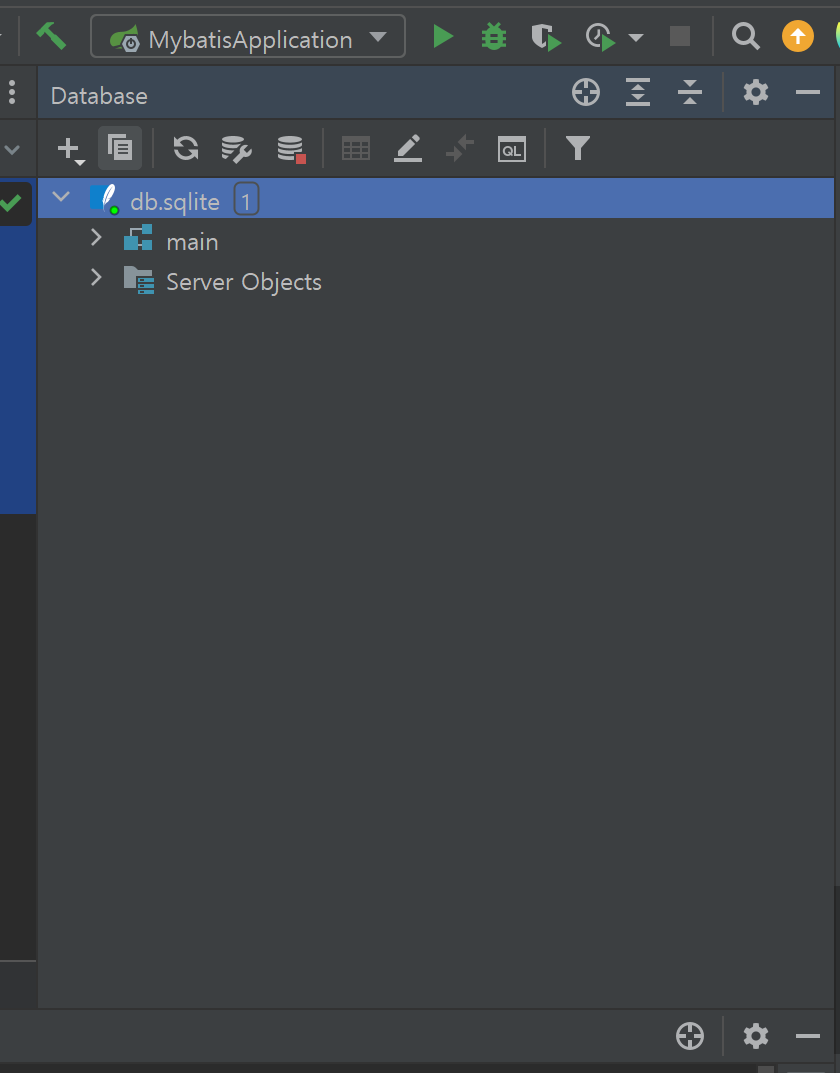
그럼 workspace에 ‘db.sqlite’생성이 되었는지 확인

- ‘db.sqlite’ 우클릭 new → QueryConsole 눌러서 콘솔창에 sql 명령어 입력 후 실행해보기 ctrl + a
DROP TABLE IF EXISTS students;
CREATE TABLE IF NOT EXISTS students (
    id INTEGER PRIMARY KEY AUTOINCREMENT ,
    name TEXT,
    age INTEGER,
    phone TEXT,
    email TEXT
);
- 실행 완료 화면

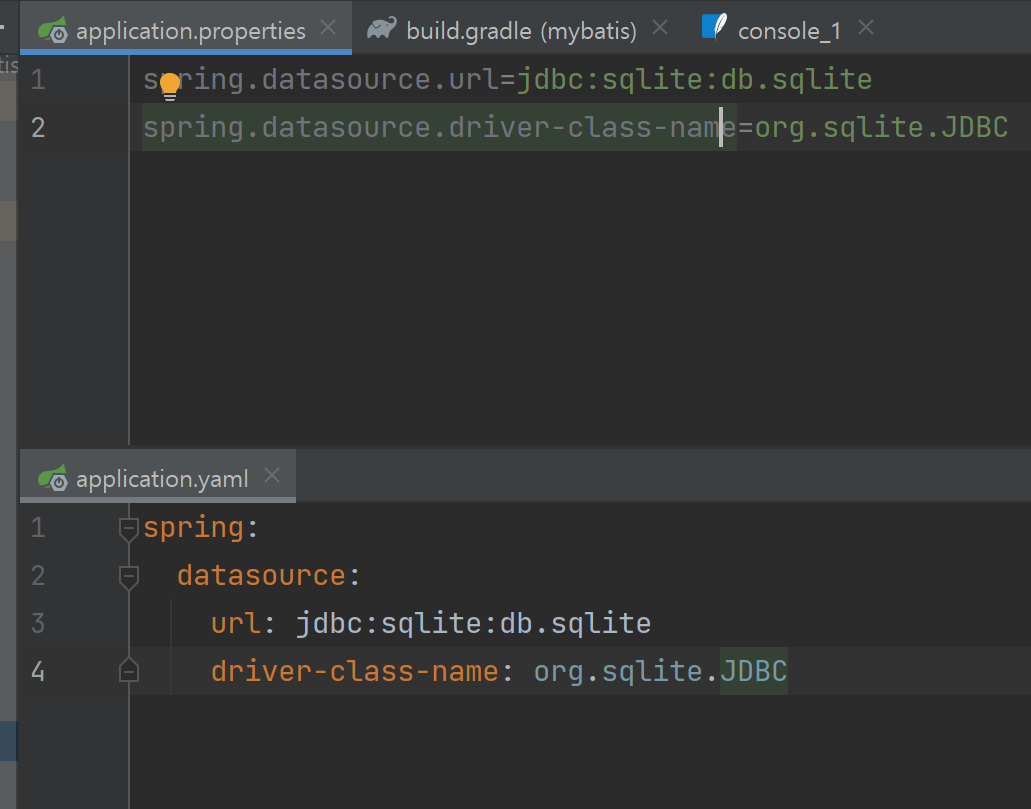
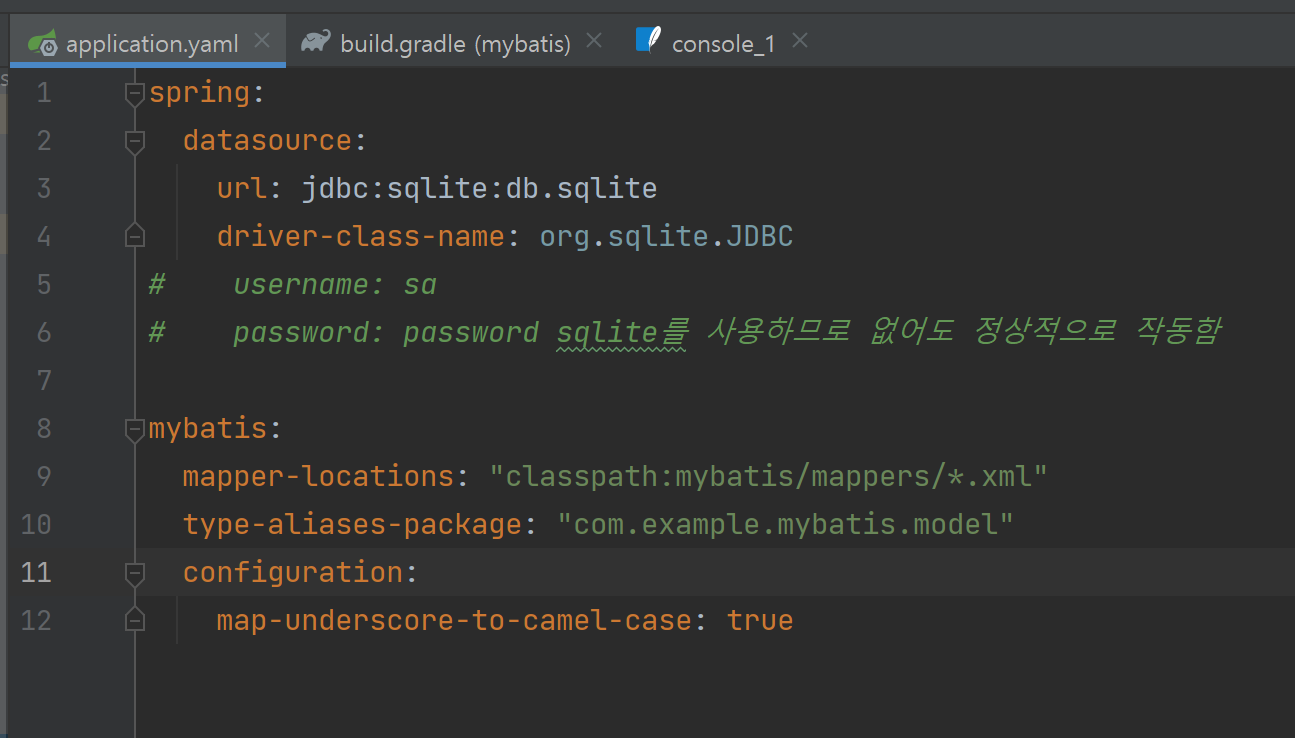
- application.properties 또는 application.yaml 설정
- yml파일은 properties에 비해 구조와 계층에 대한 가독성이 좋습니다.
- xml 파일 양식 작성(namespace 부분만 경로를 신경써서 작성하면 될 것 같습니다.)
- http://mybatis.org/dtd/mybatis-3-mapper.dtd>"> // namespace는 해당 xml파일의 경로를 입력해줘야합니다.
- (이 부분은 외워서 작성하는것이 아닌, 구글링에 참조하여 작성하면 됩니다.)
<?xml version="1.0" encoding="UTF-8" ?>
<!DOCTYPE mapper PUBLIC "-//mybatis.org//DTD Mapper 3.0//EN"
        "http://mybatis.org/dtd/mybatis-3-mapper.dtd">
// namespace는 해당 xml파일의 경로를 입력해줘야합니다.
<mapper namespace="com.example.mybatis.mapper.StudentXmlMapper">
</mapper>Mybatis 설정
// application.yaml
spring:
  datasource:
    url: jdbc:sqlite:db.sqlite
    driver-class-name: org.sqlite.JDBC

mybatis:
  mapper-locations: "classpath:mybatis/mappers/*.xml"
  type-aliases-package: "com.example.mybatis.model"
  configuration:
    map-underscore-to-camel-case: true # snake_case - camelCase, PascoCase
src 폴더 구조

- model / Student.java
// Student.java 파일
package com.example.mybatis.model;

import lombok.Data;

// 모든 필드에 대한 Getters와 Setters 메서드가 자동으로 생성.
// @Data를 사용하면 클래스의 toString() 메서드가 자동으로 생성됩니다.
// 이 메서드를 호출하면 객체의 필드 값을 문자열로 반환.
// 필드를 기반으로 equals()와 hashCode() 메서드가 자동으로 생성.
// 이를 통해 객체 간의 동등성 비교와 해시 코드 생성이 간편해짐.
// 필드를 가진 생성자를 자동으로 생성.
// 매개변수 없는 기본 생성자도 자동으로 생성.
@Data
public class Student {
    private Long id;
    private String name;
    private Integer age;
    private String phone;
    private String email;

}
- mapper / StudentMapper.java
//StudentMapper.java 파일
package com.example.mybatis.mapper;

import com.example.mybatis.model.Student;
import org.apache.ibatis.annotations.Mapper;
import org.apache.ibatis.annotations.Select;

import java.util.List;

@Mapper //@Mapper 어노테이션은 이 인터페이스가 MyBatis 매퍼 인터페이스임을 나타냄.
public interface StudentMapper {

		// @Insert 어노테이션은 SQL INSERT 문을 정의하는 데 사용
		// students 테이블에 데이터를 삽입하기 위한 SQL 쿼리를 지정하며,
 		// #{name}, #{age}, #{phone}, #{email}와 같은 플레이스홀더는 Student 객체의 속성과 대응
    @Insert("insert into students(name, age, phone, email)" +
    "values (#{name}, #{age}, #{phone}, #{email})")
    void insertStudent(Student student);

    // @Select 어노테이션은 SQL SELECT 문을 정의하는 데 사용
		// students 테이블에서 모든 레코드를 검색
    @Select("SELECT * FROM students")
    List<Student> selectStudentAll();

		// @Select 어노테이션을 사용하여 SQL SELECT 문을 정의하고, id라는 매개변수를 받음
		// SQL 쿼리는 students 테이블에서 id가 주어진 id와 일치하는 것을 찾음
    @Select("select * from students where id = #{id}")
    Student selectStudent(Long id);

		@Update("update students set " +
		            "name = #{name}, "+
		            "age = #{age}, "+
		            "phone = #{phone}, "+
		            "email = #{email}, "+
		            "where id = #{id}")
		 void updateStudent(Student student);

		 @Delete("delete from students" +
		            "where id = #{id}")
		 void deleteStudent(Long id);
}
- dao / StudentDao.java
//StudentDao.java 파일
package com.example.mybatis.dao;

import com.example.mybatis.mapper.StudentMapper;
import com.example.mybatis.model.Student;
import org.apache.ibatis.session.SqlSession;
import org.apache.ibatis.session.SqlSessionFactory;
import org.springframework.stereotype.Repository;

import java.util.List;

// @Repository 어노테이션은 스프링에서 해당 클래스를 리포지토리(데이터 액세스 객체)로
// 인식하도록 지정
@Repository
public class StudentDao {

// SqlSessionFactory는 MyBatis에서 세션을 생성하기 위한 팩토리 클래스, 생성자를 통해 주입
    private final SqlSessionFactory SessionFactory;

    public StudentDao(SqlSessionFactory sessionFactory){
        this.SessionFactory = sessionFactory;
    }

// readStudentAll 메서드는 모든 학생을 조회하는 기능을 제공
// SqlSession을 사용하여 데이터베이스 세션을 열고, StudentMapper를 얻어와서
// selectStudentAll() 메서드를 호출하여 모든 Student를 조회한 후, 결과를 반환
    public List<Student> readStudentAll(){
        try(SqlSession sqlSession = SessionFactory.openSession()){
            StudentMapper studentMapper = sqlSession.getMapper(StudentMapper.class);
            return studentMapper.selectStudentAll();
        }
    }

// createStudent 메서드는 학생을 생성하는 기능을 제공
// SqlSession을 사용하여 데이터베이스 세션을 열고, StudentMapper를 얻어와서
// insertStudent() 메서드를 호출하여 Student를 생성
    public void createStudent(Student student){
        try(SqlSession sqlSession = SessionFactory.openSession()){
            StudentMapper studentMapper = sqlSession.getMapper(StudentMapper.class);
            studentMapper.insertStudent(student);
        }
    }

// readStudent 메서드는 특정 학생을 조회하는 기능을 제공
// SqlSession을 사용하여 데이터베이스 세션을 열고, StudentMapper를 얻어와서
// selectStudent() 메서드를 호출하여 주어진 id에 해당하는 Student를 조회한 후, 결과를 반환
    public Student readStudent(Long id){
        try(SqlSession sqlSession = SessionFactory.openSession()){
            StudentMapper studentMapper = sqlSession.getMapper(StudentMapper.class);
            return studentMapper.selectStudent(id);
        }
    }
}
- MybatisApplication.java
// MybatisApplication.java 파일
package com.example.mybatis;

import com.example.mybatis.dao.StudentDao;
import org.springframework.boot.SpringApplication;
import org.springframework.boot.autoconfigure.SpringBootApplication;
import org.springframework.context.ApplicationContext;
//import org.apache.catalina.core.ApplicationContext; // 이거 안됨

@SpringBootApplication
public class MybatisApplication {

	public static void main(String[] args) {
		ApplicationContext applicationContext
				= SpringApplication.run(MybatisApplication.class, args);

		StudentDao dao = applicationContext.getBean(StudentDao.class);
		System.out.println(dao.readStudentAll()); // 전체 출력

		Student student = new Student();
		student.setName("dave");
		student.setAge(40);
		student.setPhone("010-1111-2222");
		student.setEmail("dave@naver.com");
		dao.createStudent(student); // 새로 set한 student 추가

		for (Long i = 1L; i <= 4L; i++) {
			System.out.println(dao.readStudent(i)); // i는 id값 , Student 한명씩 읽음
		}
	}
}

//출력결과
//Student(id=1, name=alex, age=35, phone=010-1234-5678, email=alex@gmail.com)
//Student(id=2, name=brad, age=35, phone=010-1234-5678, email=brad@gmail.com)
//Student(id=3, name=chad, age=35, phone=010-1234-5678, email=chad@gmail.com)
//Student(id=4, name=dave, age=40, phone=010-1111-2222, email=dave@naver.com)
Mapper.xml
UPDATE
id로 학생을 지정해서 값을 수정해 주는 기능을 구현하고자 한다. mapper package에 있는 StudentMapper.java에 다음과 같은 Mapper 기능을 추가해 준다. 수정하고 싶은 부분만 수정하기 위해서는 값을 새로 입력 받고 올바른 정보가 입력된 객체를 완전체로 전달해 줌으로 그 기능을 구현할 수 있다.
@Update("UPDATE students SET *" +
            "name = #{name}" +
            "age = #{age}" +
            "phone = #{phone}" +
            "email = #{email}" +
            "WHERE id = #{id}")
    void updateStudent(Student student);
이때 쿼리문이 복잡해질 때마다 Annotation의 작은 괄호 안에 넣는 것이 어려울 수도 있다. 이를 해결하기 위해 Annotation 기반으로 쿼리문을 작성하는 것이 아니라 .xml 형태로 작성된 외부 파일에 SQL 문을 저장해 두고 사용하도록 설정할 수 있다. 이 기능을 위해 새로운 Mapper인 StudentXmlMapper를 생성한다.
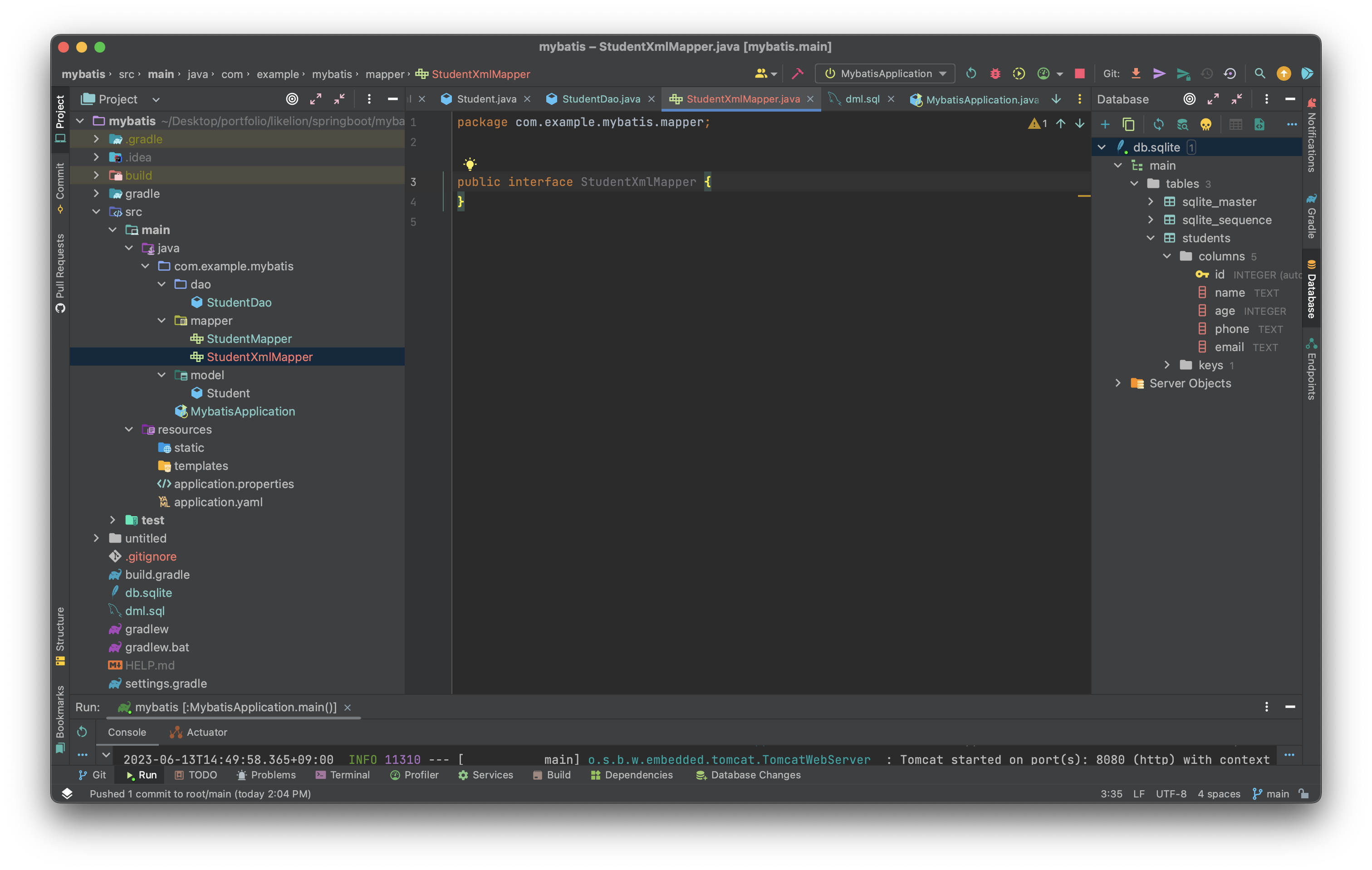
이후 resources/mybatis/mappers/StudentMapper.xml 파일을 만든다.

아까 설정했던 application.yaml 파일을 보면 이미 SQL 문을 가져올 폴더 경로를 지정해 준 설정을 볼 수 있다.
spring:
  datasource:
    url: jdbc:sqlite:db.sqlite
    driver-class-name: org.sqlite.JDBC
 #   username:
 #   password:
mybatis:
  **mapper-locations: "classpath:mybatis/mappers/*.xml"**
  type-aliases-package: "com.example.mybatis.model"
  configuration:
    map-underscore-to-camel-case: true
이후 아래와 같은 xml 포맷 안에 내가 사용할 SQL의 명세를 작성할 수 있다.
http://mybatis.org/dtd/mybatis-3-mapper.dtd>">
내가 사용할 select문과 리턴 타입을 명세해서 작성해 줄 수 있다.
http://mybatis.org/dtd/mybatis-3-mapper.dtd>">
        SELECT * FROM students
그리고 내가 해당 SQL문을 사용할 메소드 이름을 id로 설정해 줘야 한다.
http://mybatis.org/dtd/mybatis-3-mapper.dtd>">
        SELECT * FROM students
이후 같은 이름을 가진 메소드를 인터페이스에 추가해 주면 해당 xml 파일에서 SQL문을 읽어 와서 작업을 수행할 수 있다.
package com.example.mybatis.mapper;

import com.example.mybatis.model.Student;

import java.util.List;

public interface StudentXmlMapper {
    List<Student> **selectStudentAll**();
}
StudentXmlMapper와 세션을 수립해서 해당 기능을 확인해 보기 위해 StudentDao 파일에 코드를 작성해 준다.
public List<Student> readAllXmlStudent() {
        try (SqlSession session = sessionFactory.openSession()) {
            StudentXmlMapper studentXmlMapper = session.getMapper(StudentXmlMapper.class);
            return studentXmlMapper.selectStudentAll();
        }
    }
이후 Application 실행 화면에서 해당 코드를 돌리면 올바르게 기능이 작동하는 것을 볼 수 있다.
System.out.println(dao.readAllXmlStudent());
SelectOne Practice
학생 하나를 선택하는 기능을 반복해서 만들며 연습해 보자.
<select id="selectStudent" resultType="Student" parameterType="Long">
        SELECT * FROM students WHERE id = #{id};
    </select>
<select id="selectStudent" resultType="Student" parameterType="Long">
        SELECT * FROM students WHERE id = #{id};
    </select>
<select id="selectStudent" resultType="Student" parameterType="Long">
        SELECT * FROM students WHERE id = #{id};
    </select>
'Spring' 카테고리의 다른 글
| [Spring] 유효성 검사 (0) | 2023.07.09 |
|---|---|
| POSTMAN 사용하기 (0) | 2023.07.09 |
| [Spring] CRUD란? (0) | 2023.07.09 |
| Spring Security 로그인 & 회원가입 만들기 (0) | 2023.07.06 |
| 어노테이션 (0) | 2023.06.09 |